Customize your way
Save time with Stackby Automations
Learn how you can work with Automations in Stackby and save a lot of time!

Automations turn repetitive steps into background tasks so teams can focus on high‑value work. Define a clear trigger, choose one or more actions, and let updates, notifications, or record changes run hands‑free across tools and tables.Image suggestion:
Save time with Stackby Automations
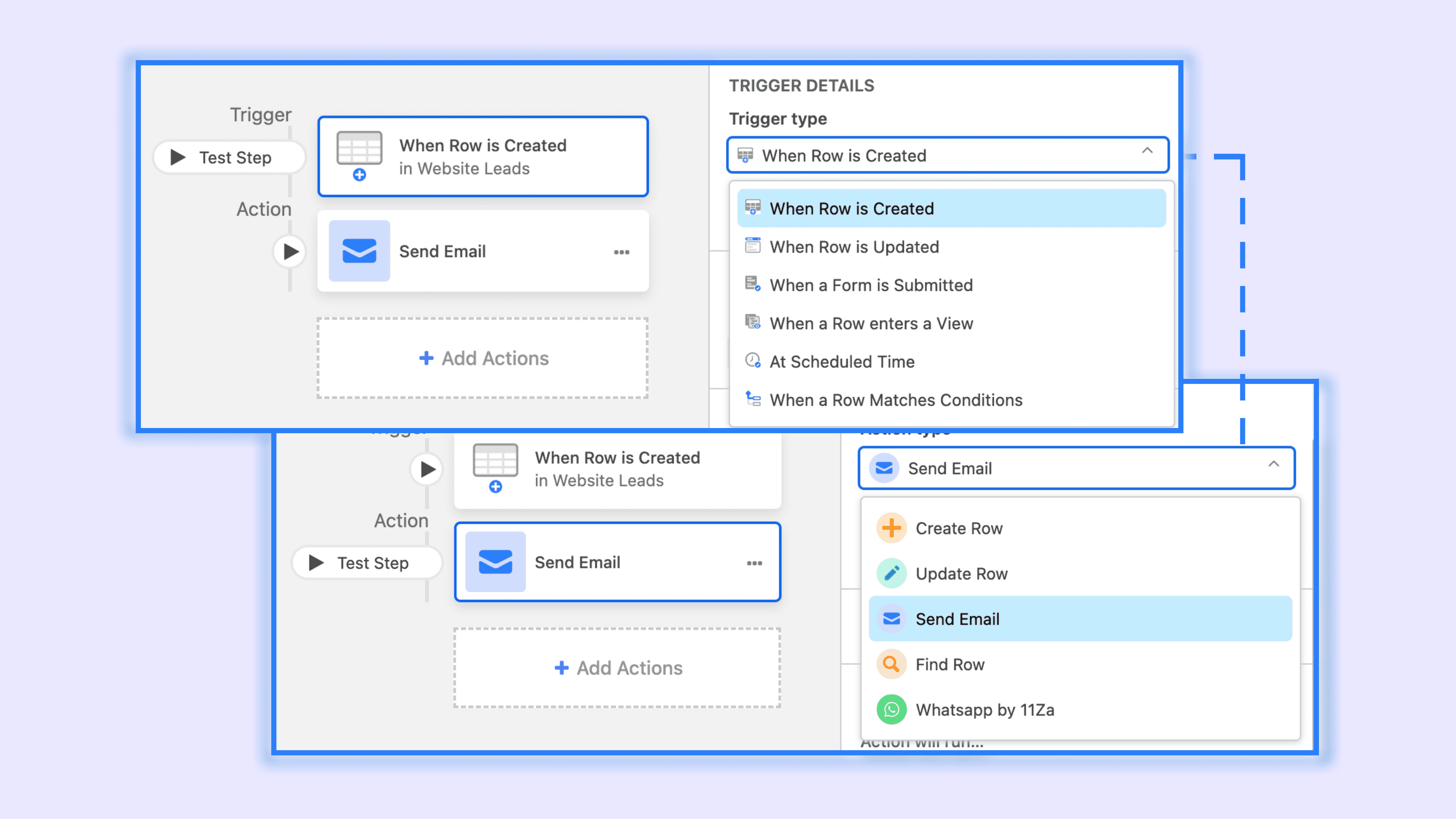
Use automations to react to events in data (new/updated records, records entering a view, scheduled times, webhooks) and to perform actions like sending emails or Slack/Teams messages, creating/updating records, or calling external services through integrations. Up to dozens of steps can be chained with conditions for sophisticated flows.

When to automate
Automate wherever the same action happens repeatedly after a predictable event:
Intake: when a form submission arrives, create a task and notify the assignee.
Hand‑offs: when Status moves to Review, alert reviewers and set Due date +2 days.
Schedules: every Monday at 9am, create a weekly checklist and post to Slack.
Integrations: when a record matches conditions, create/update an issue in Jira or send calendar invites.
Tips:
Use stable, named views for “record enters view” triggers to avoid accidental runs.
Prefer dynamic fields from the triggering record in messages and emails to keep flows reusable.
Test each step and review run history to troubleshoot.
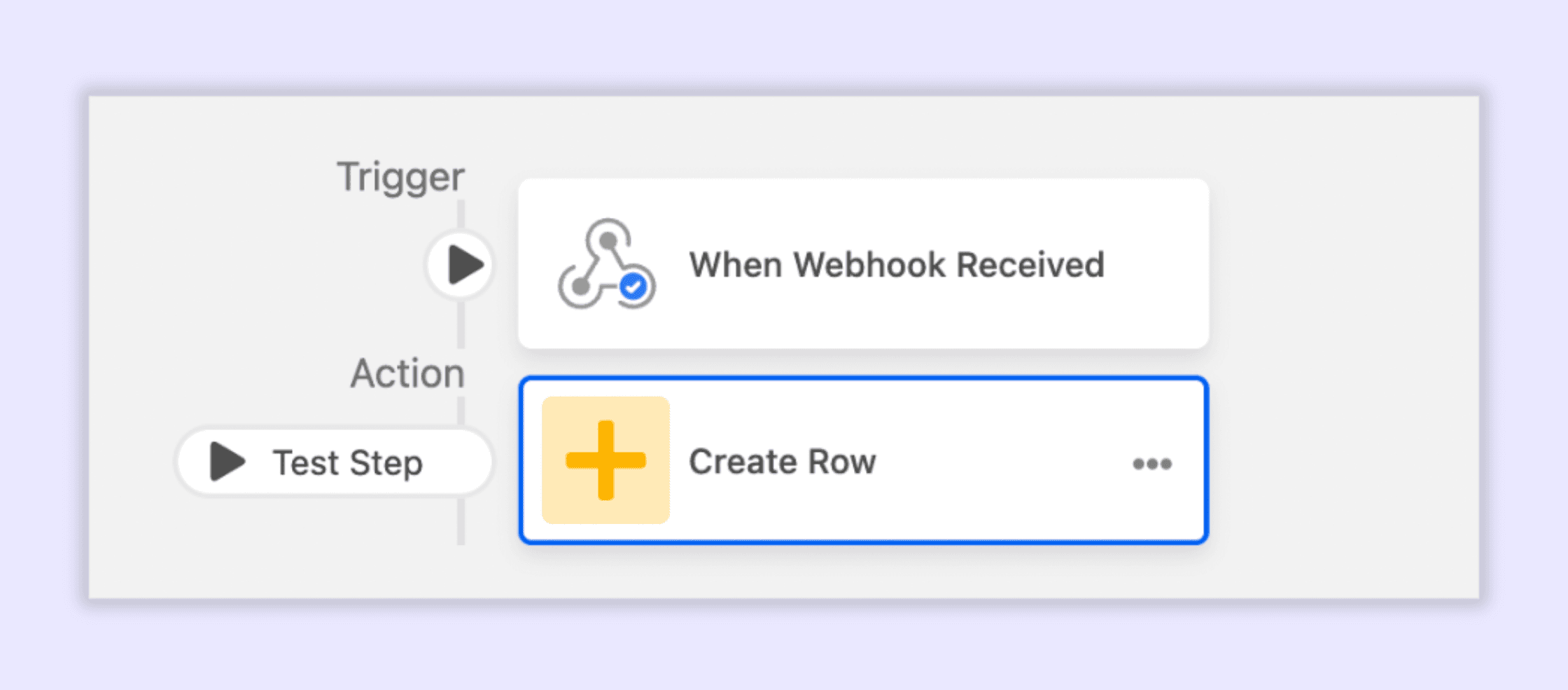
1. Bring data from anywhere
Bring data from anywhere - Typeform responses, Shopify orders, Meta Ads leads without a third party integration via webhooks in Stackby.
Trigger: Incoming webhook
Actions: Create a new row in a table
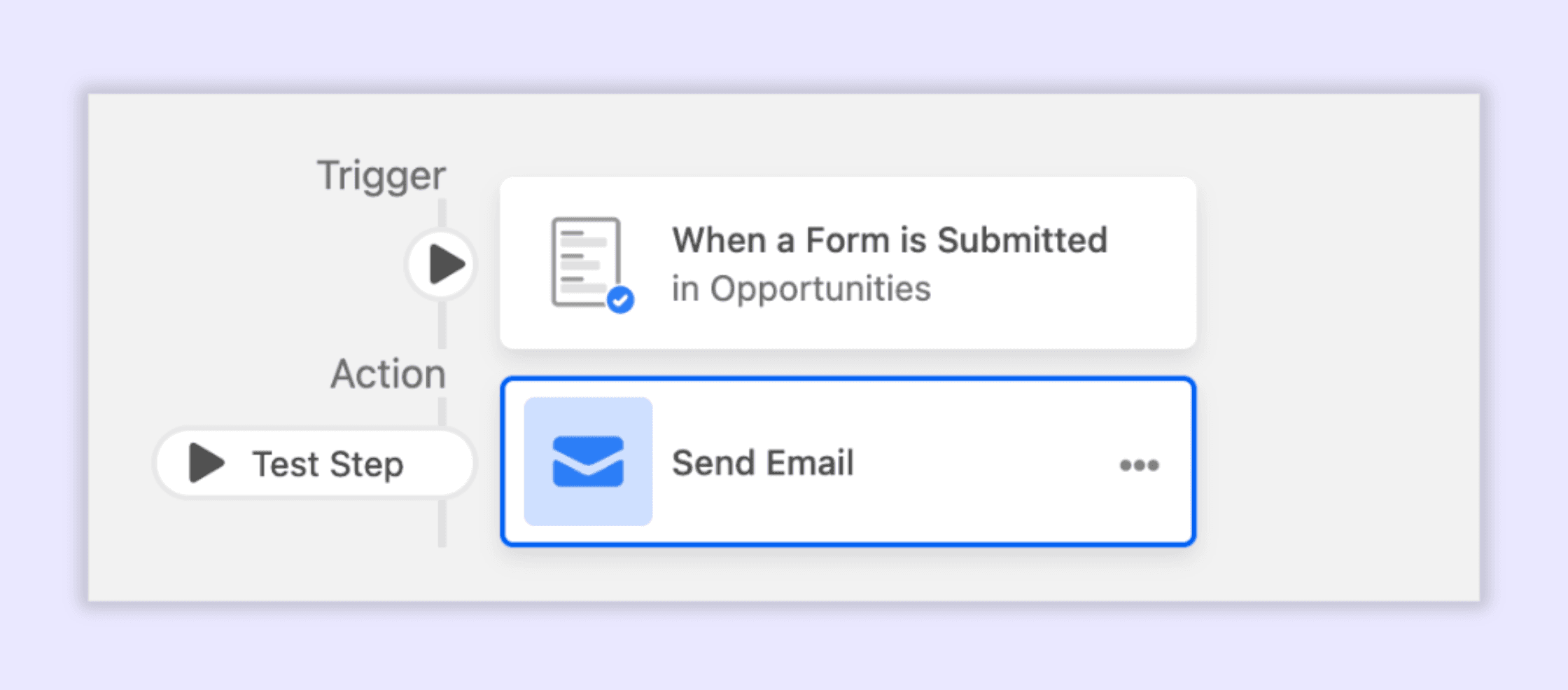
2. Manage requests and reviews
Speed up approvals and reduce back‑and‑forth. Example: when a design request moves to “Needs approval,” notify approvers, create a checklist, and set a deadline; when approved, email the requester and move to Production.
Trigger: Status changes or record matches “Needs approval.”
Actions: Send email/Slack, create sub‑tasks, update fields, branch with conditions
3. Keep everyone informed
Replace manual status pings with instant, contextual updates. Example: when a feature’s target date slips or risk flag turns Red, notify product, success, and marketing with record links and key fields.
Trigger: Record updated (Due date changed) or formula flag = true.
Actions: Send Slack/Teams/email, append to a changelog table, tag owners.
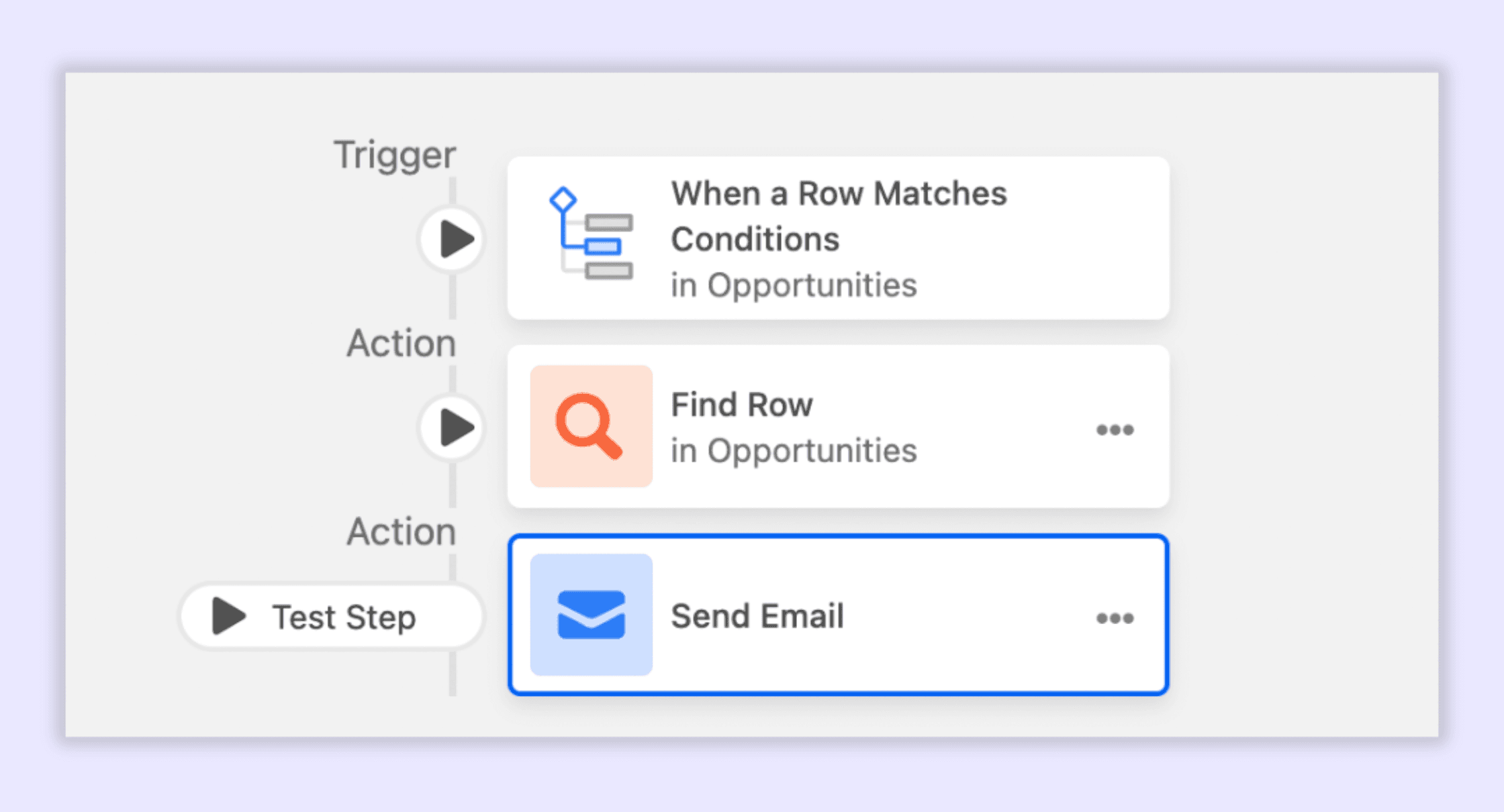
Try it now: Build an automation
Pick a trigger: record created/updated, record enters view, scheduled time, or incoming webhook.
Add actions: create/update record, send Slack/Teams/email, call webhooks/integrations.
Use conditions to branch logic (e.g., Priority = High). Test, name, and enable; monitor run history.
Join our Community Forum
Any other questions? Get in touch